SOLUTIONS
Current Features
Project Manager
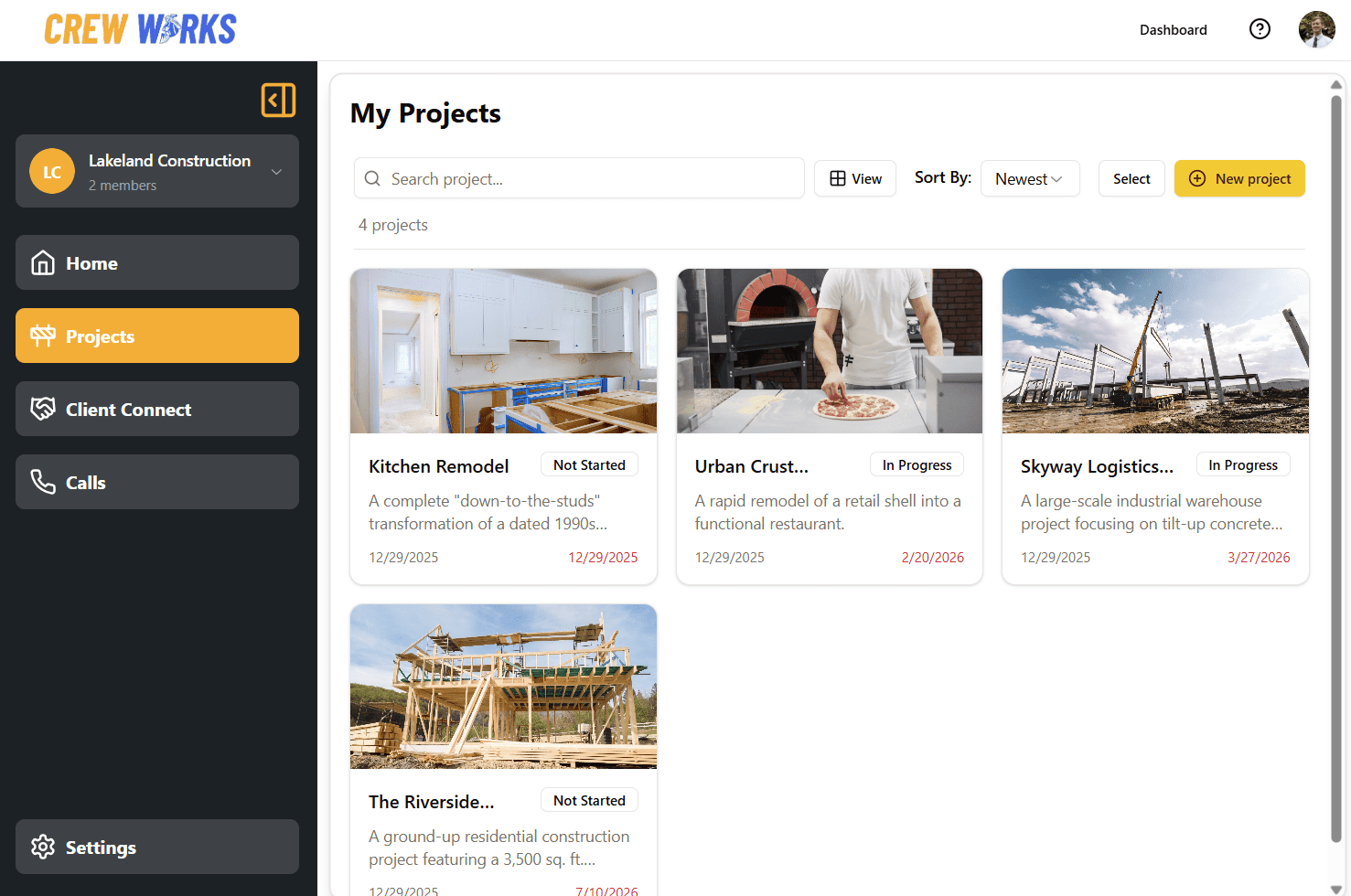
See all your projects in one place: Effortlessly organize, search, sort, and manage every job, with quick access to related tasks, plans, and files, so nothing gets lost on or off the jobsite.
Project creation: Set up new or existing projects with a description, deadline, status, and an image. Then add tasks and files using the built-in task and file manager, keeping your crew and documents organized from start to finish.
Project statistics (coming soon): We will add a project statistics viewer. We value your input on what insights would help you run your jobs better.
Task Manager
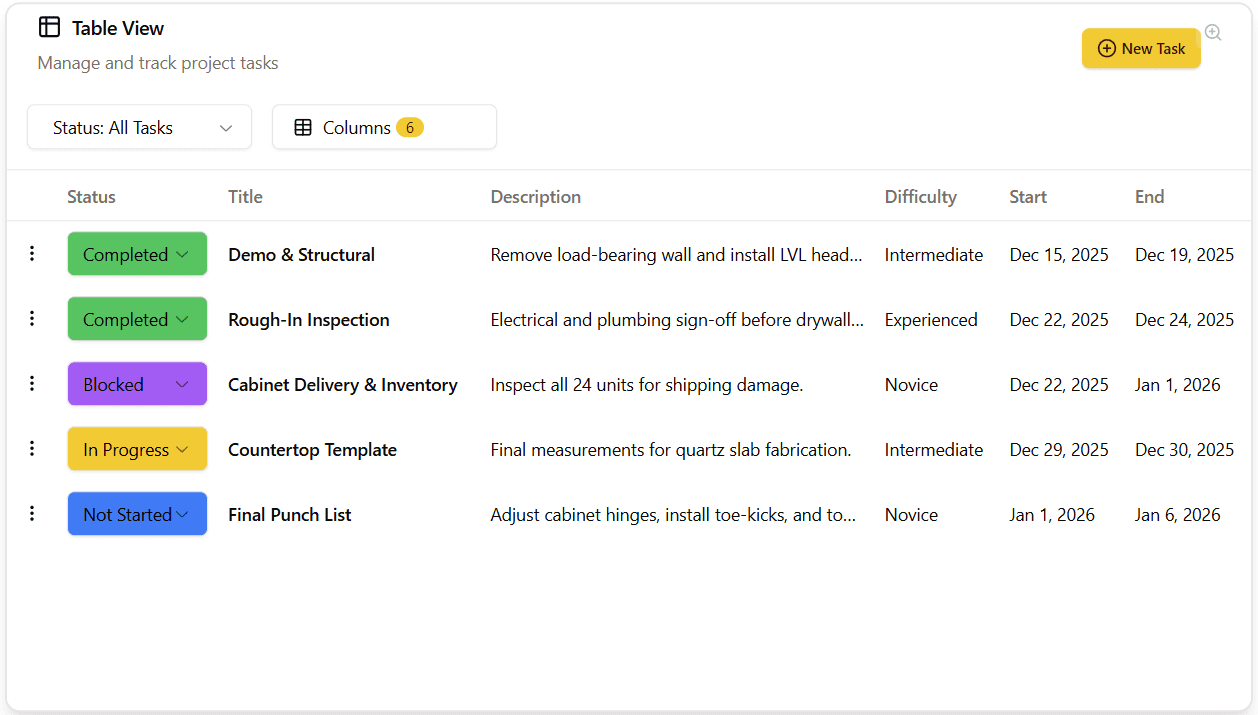
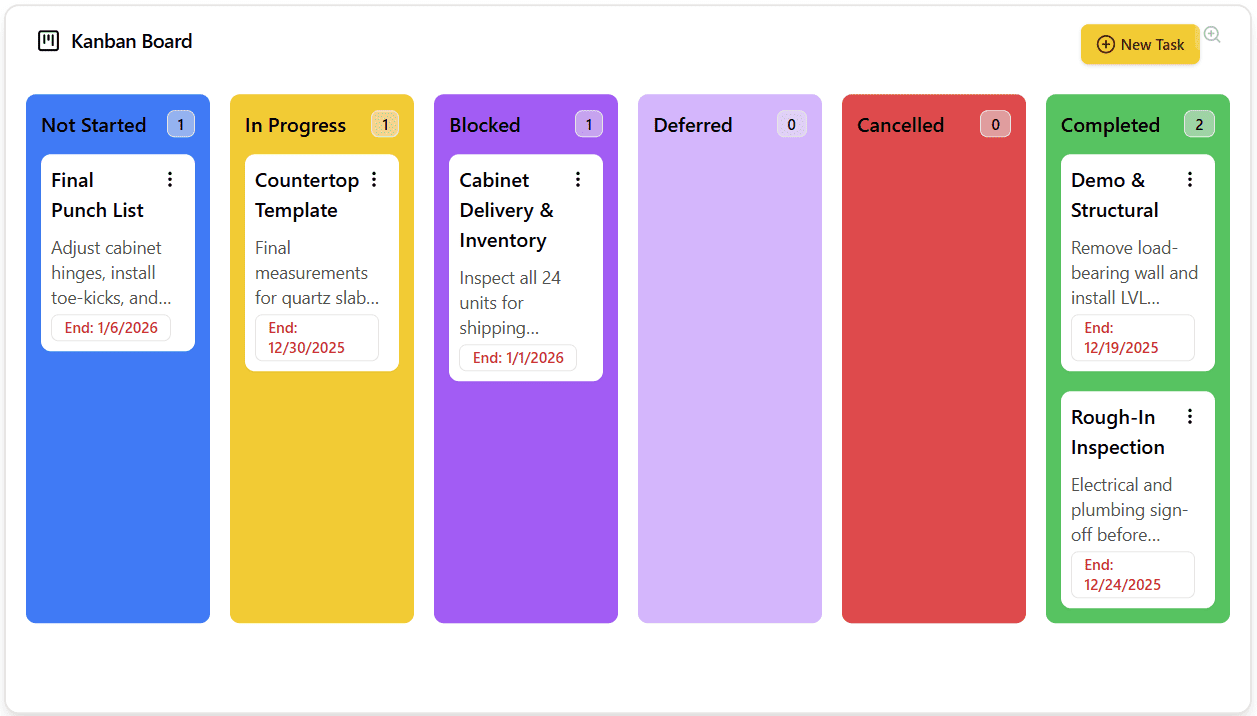
Shown to the right are the table and kanban views
Task Creation & Updates: Create and update project tasks with a description, difficulty, and start/end dates to keep your crew on track.
Task Organization: Organize and sort tasks by categories like user assigned priority, difficulty, start date, or end date. Mark tasks as not started, in progress, or completed.
Flexible Task Views: View tasks in multiple formats (such as lists, boards, or timelines) so you always have the view that works best for you and your team.
Client Connect
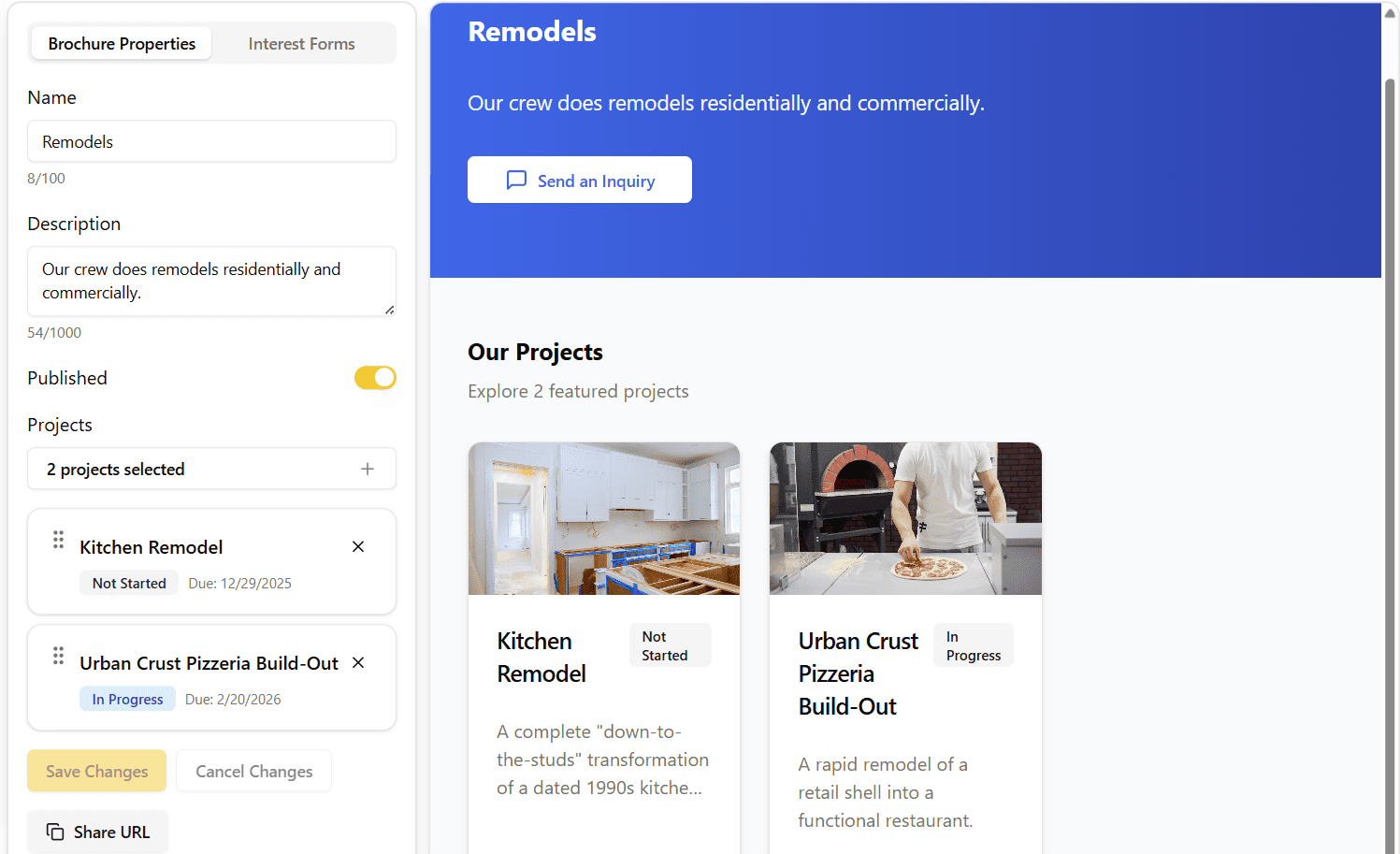
Crew Profile: Win bids faster and attract new clients by sharing a link to your crew’s brochure, skills, and certifications all in one comprehensive profile.
Crew Brochure: Create and share tailored, digital brochures highlighting your crew’s best work and services.
Crew Card (coming soon): Instantly share contact and qualification details with contractors, clients, and partners, keeping your team’s information current and accessible.
Scheduled Video Calls
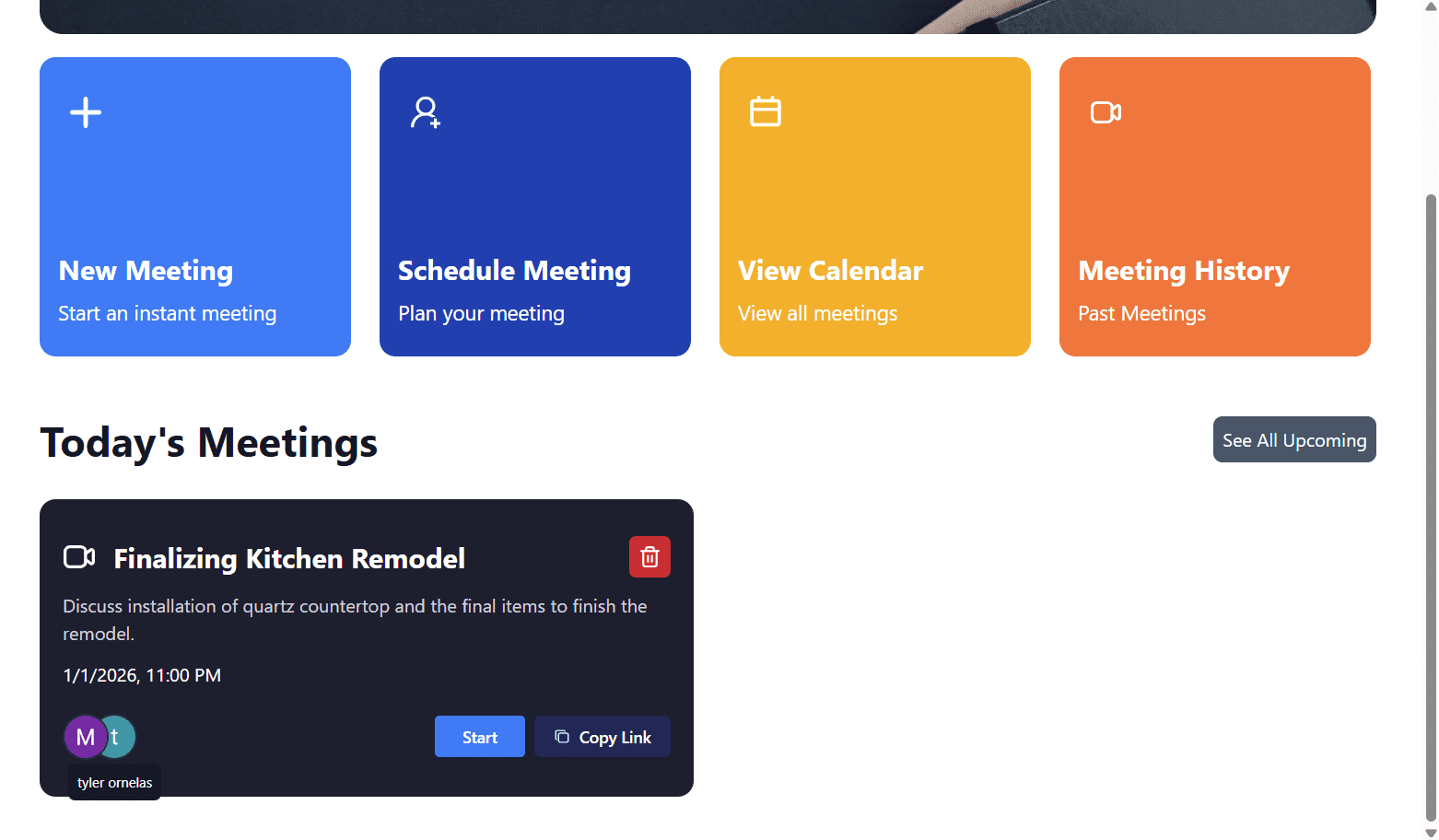
Instant & Scheduled Video Calls: Start instant video calls or schedule meetings with your crew, subcontractors, or clients.
Real-Time Call Notifications: Receive real-time notifications for incoming and scheduled calls, so you never miss an important discussion.
Meeting Management: Easily view your upcoming meetings and access your meeting history for quick reference.
Upcoming Features
The Crew is currently working on these features. Stay tuned and please reach out with any feedback!
File Manager
Cloud File Access: Access OneDrive, Google Drive, and Dropbox files from anywhere – on site or in the office.
Project File Management: Browse, view, download, and add files that are organized by project for easy tracking.
Secure File Sharing: Share plans and updates securely with your crew or clients, keeping projects moving smoothly.
Bid Manager
Smart Bid Calculator: Input your costs for employees, materials, project complexity, and time to completion to come up with a total bid that you can directly send to clients with the price breakdown.
Instant Bid Invoicing: Optionally, create a bid invoice that can be sent to clients.
Budget Tracker
Track every dollar: Log material receipts and crew hours to monitor project spending.
Stay profitable: Instantly compare your actual costs to your original bid.
Avoid surprises: Keep your budget on track and ensure every project pays off.
Calendar
Stay on top of deadlines: View project milestones and scheduled meetings at a glance.
Easy scheduling: Set up new meetings right from your project calendar.
Chat
Unified Messaging: Easily send messages, photos, files, and videos to your crew or clients in one place so everyone stays connected and up to date.